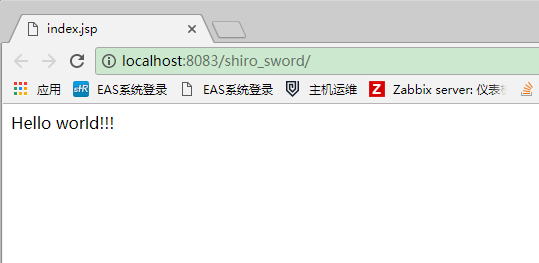
Quickstart of running app in tomcat8 by using maven with Intellij idea 2017
Here is the guide for freshman who want to deploy the project in tomcat by using maven with Idea.
File –> New –> project
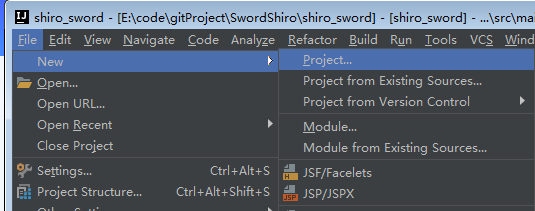
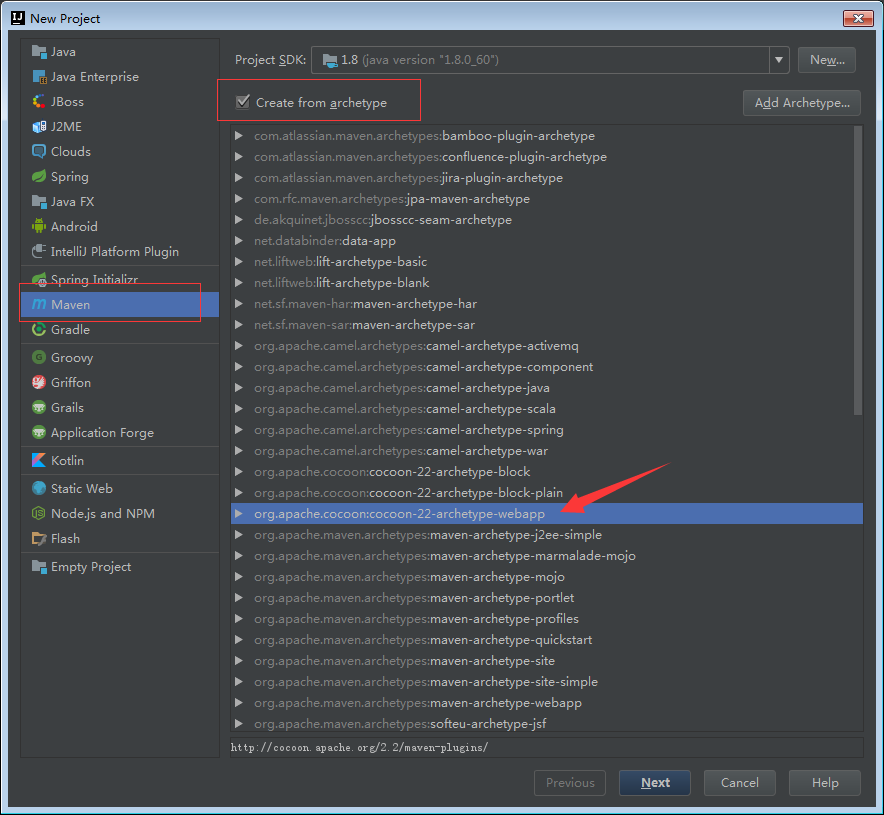
–> click the checkbox and choose ‘webapp’
–> input your “GroupId” and the “ArtifactId”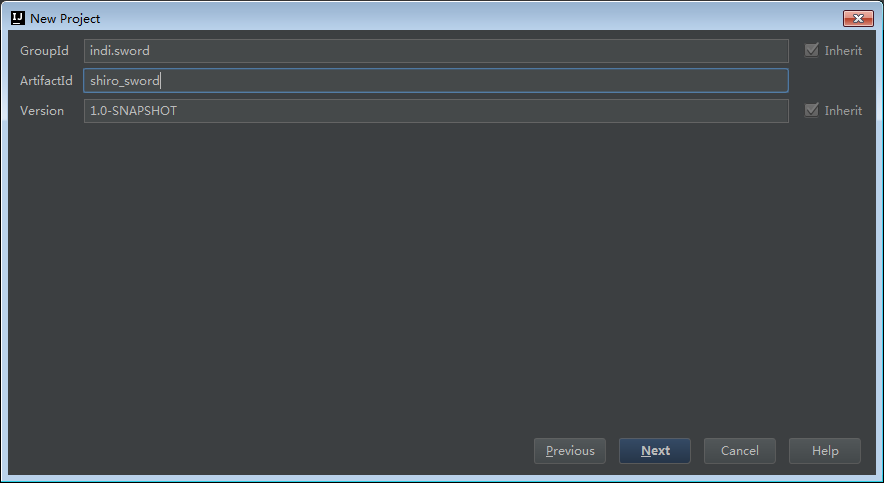
–> override the maven home directory and setting.xml with your local’s.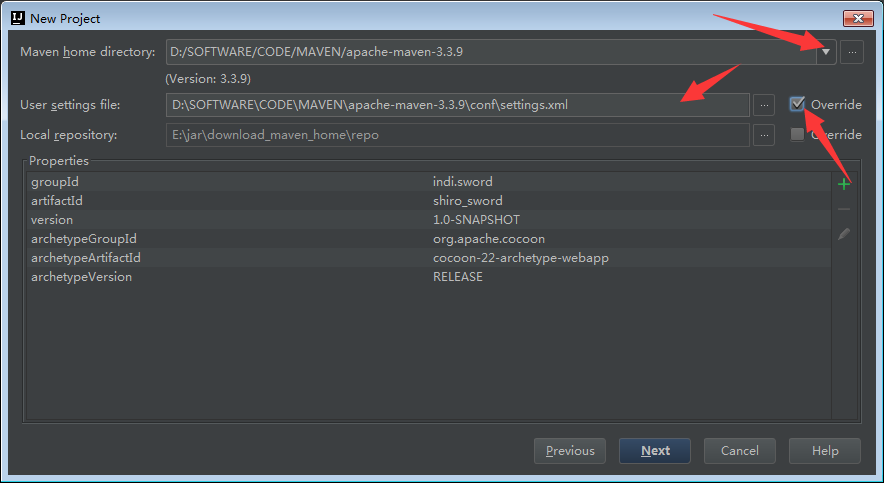
–> file in your project name with small letters.(and you can change the project location if you want) –> click ‘Finish’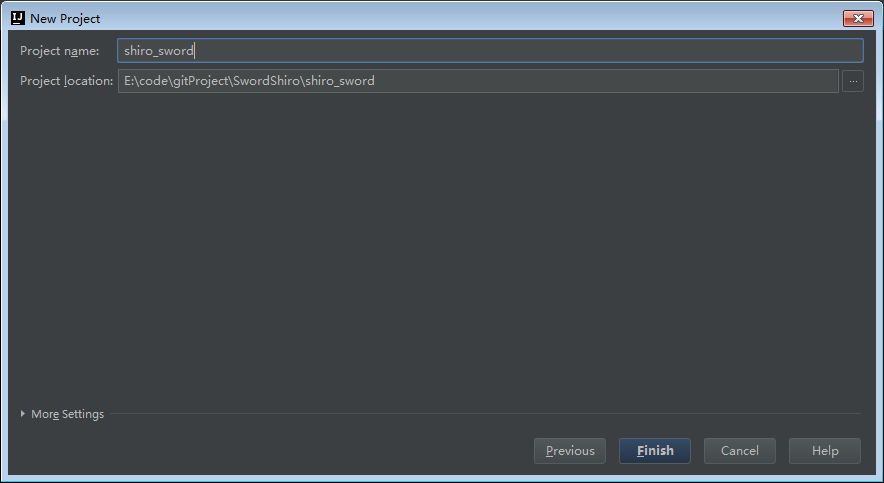
–> wait a few minutes until the maven project is loaded.
–> create the missing floder according to the following directory structure
src
main
java
resources
webappWEB-INF
index.jsptest
java
resourcesweb
WEB-INF
web.xml
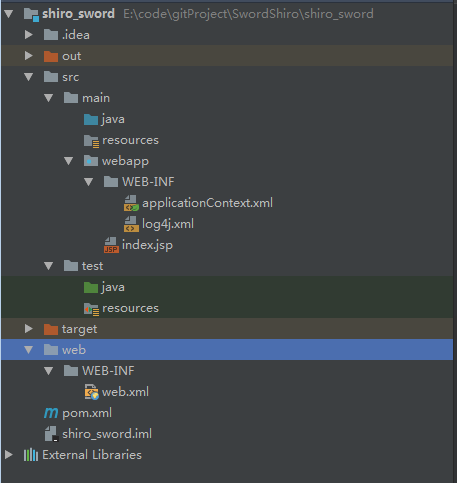
–> File –> Project Structure –> Modules
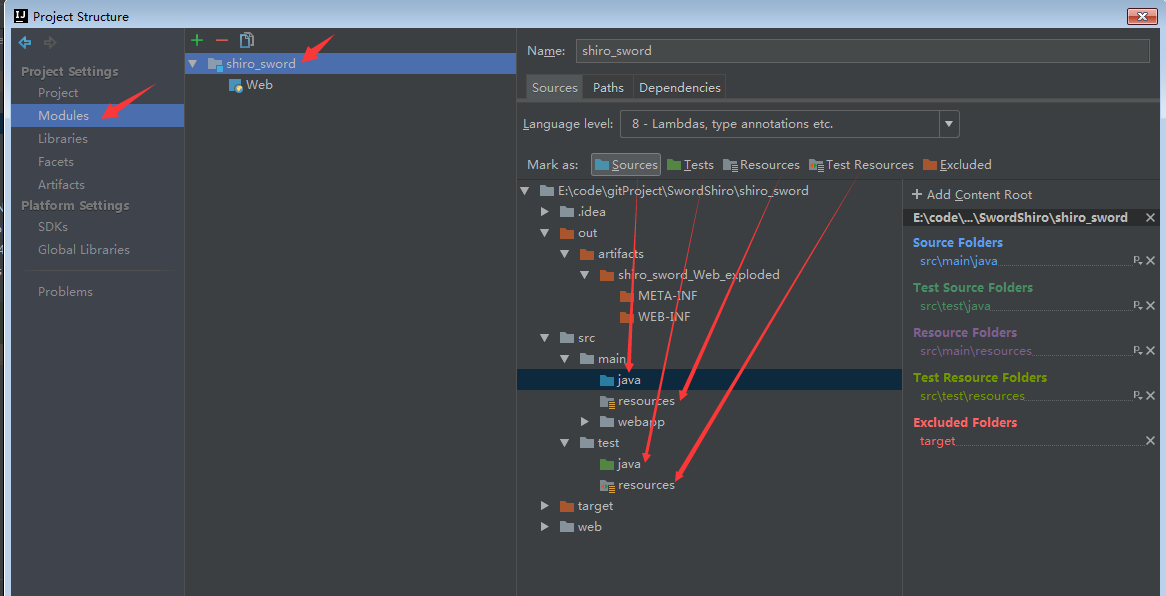
check the project status
–> File –> Project Structure –> Artifaces ( You can find out two war which was created by idea if project loaded successfully.)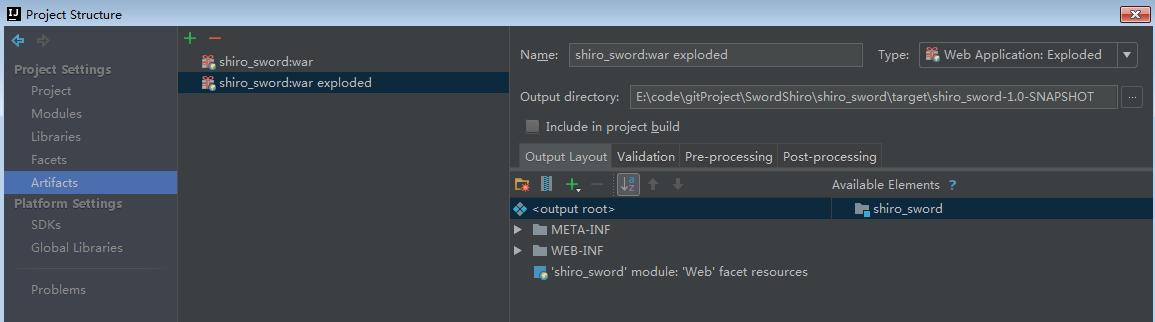
if it is abnormal.Then –> View –> Tool Window –> Maven Project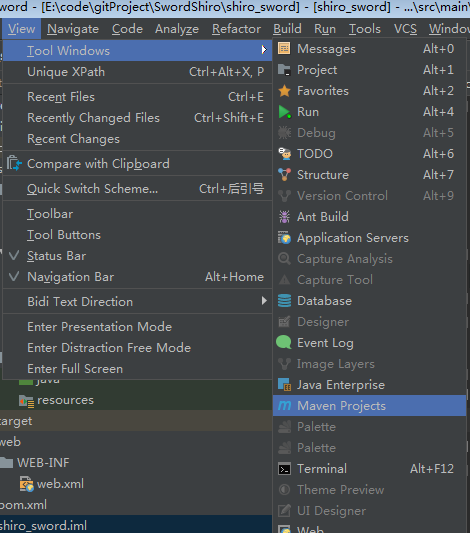
–> click the refresh button repeatedly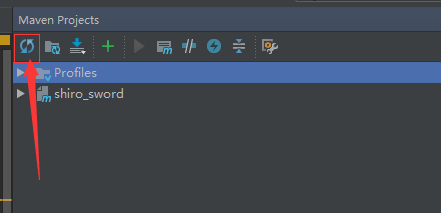
Configure the tomcat
–> Run –> Edit Configurations …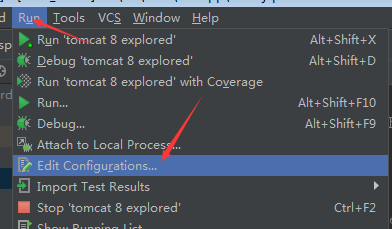
–> click the ‘+’ buttun -> Tomcat Server –> Local (if you can not find the ‘Tomcat Server’ iterm,then click the bottom item ‘33 items more(irrelevant)…’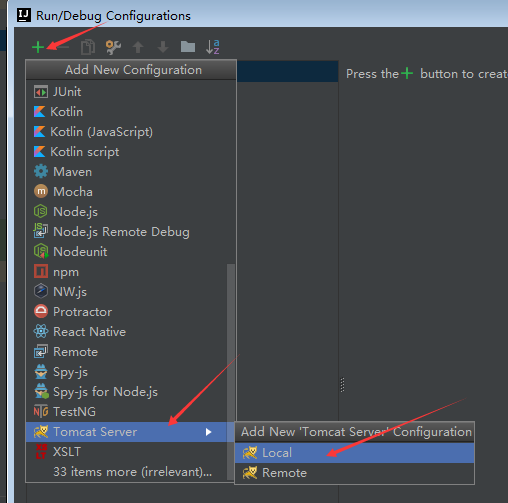
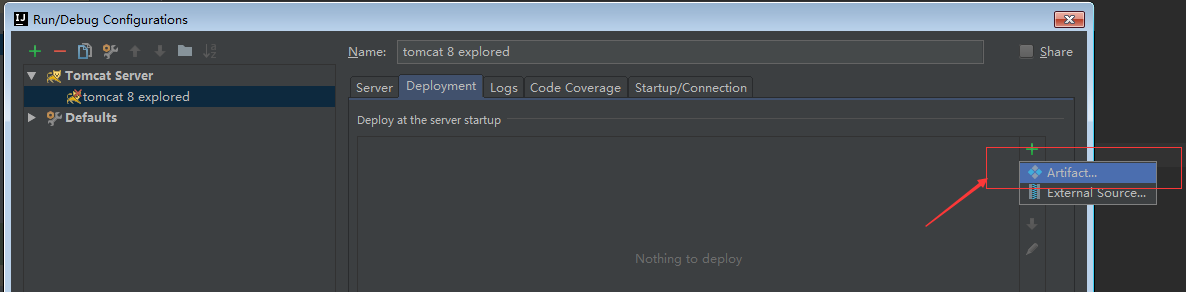
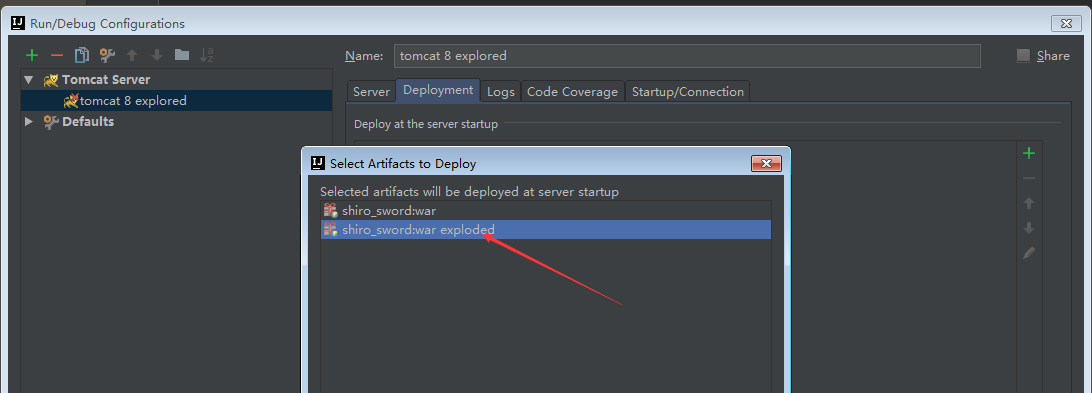
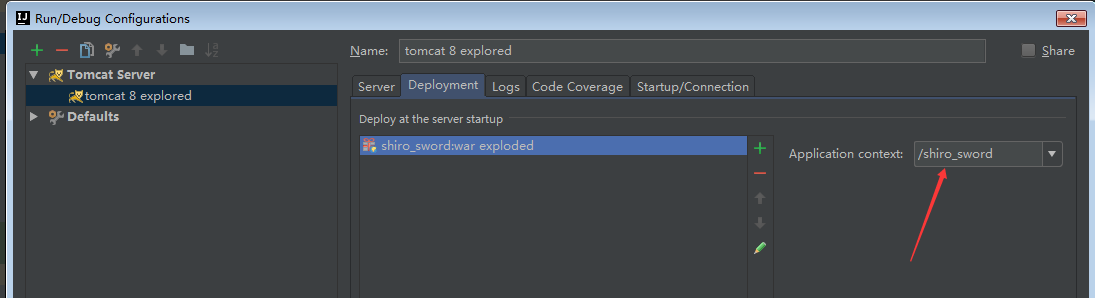
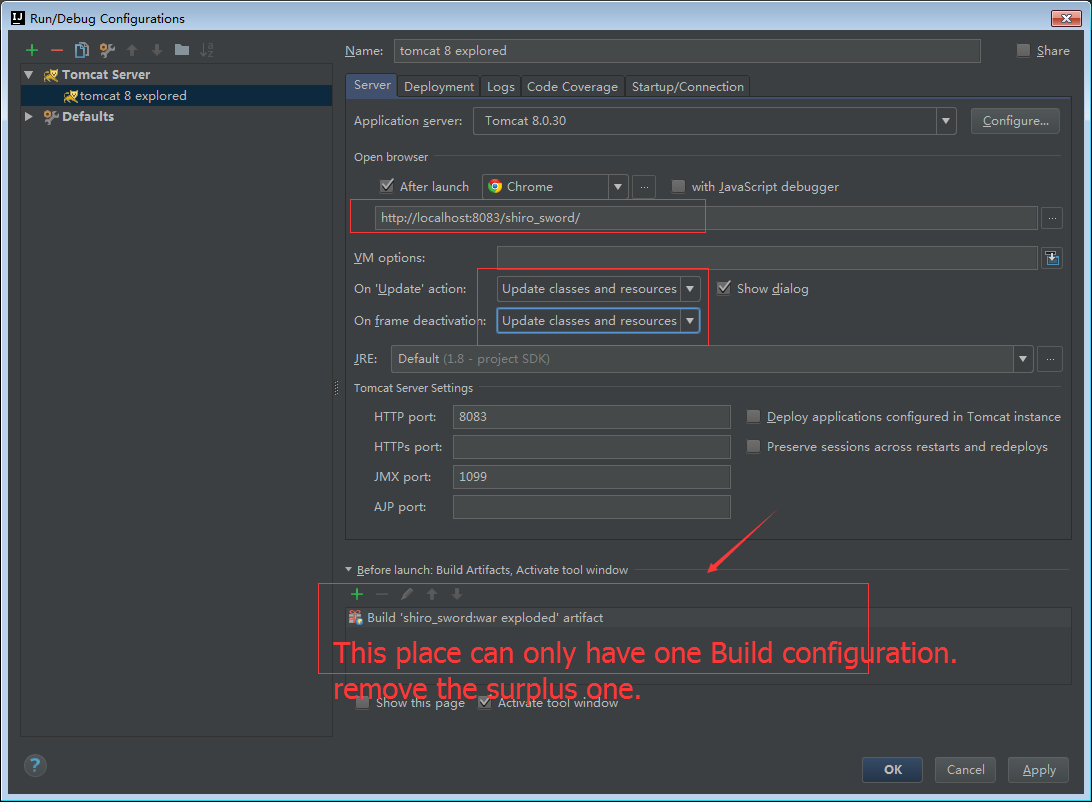
Warning : if you can not startup the tomcat ,then the adjust your configuration
–> File –> Project Structure –> Module –> Web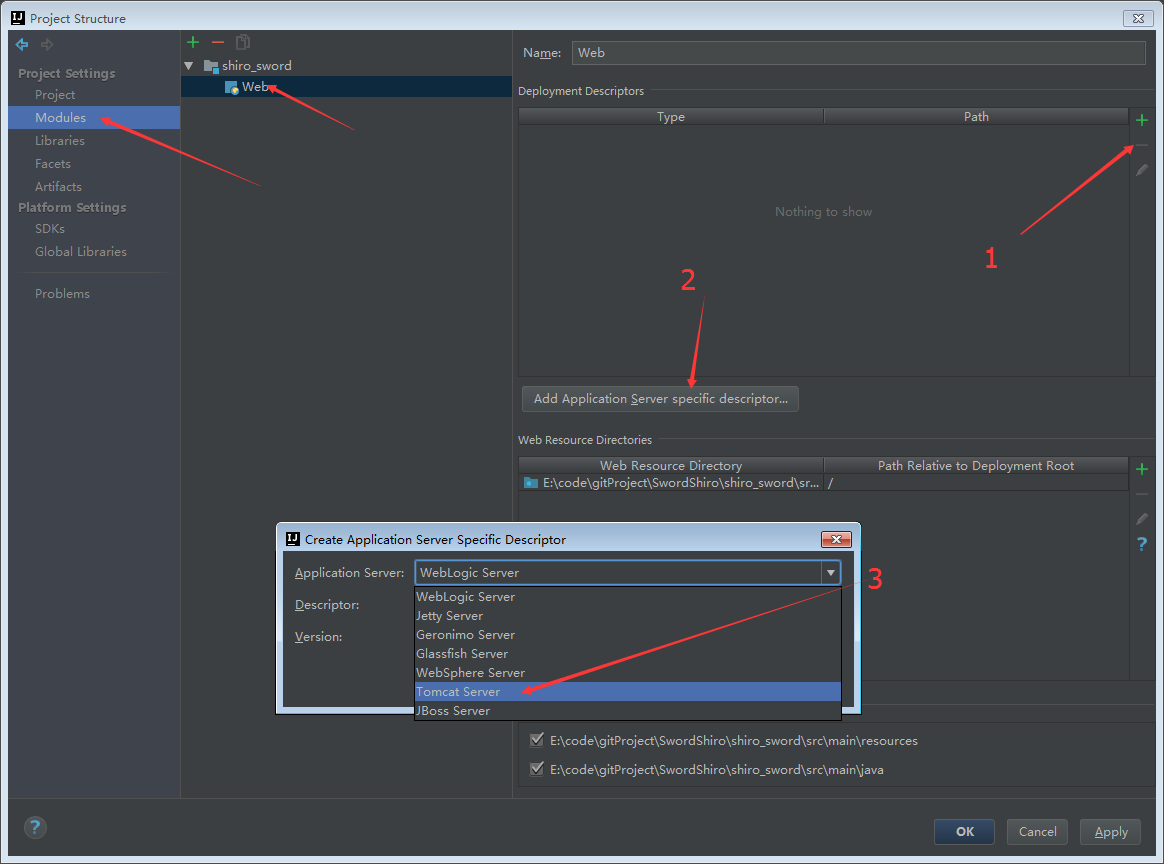
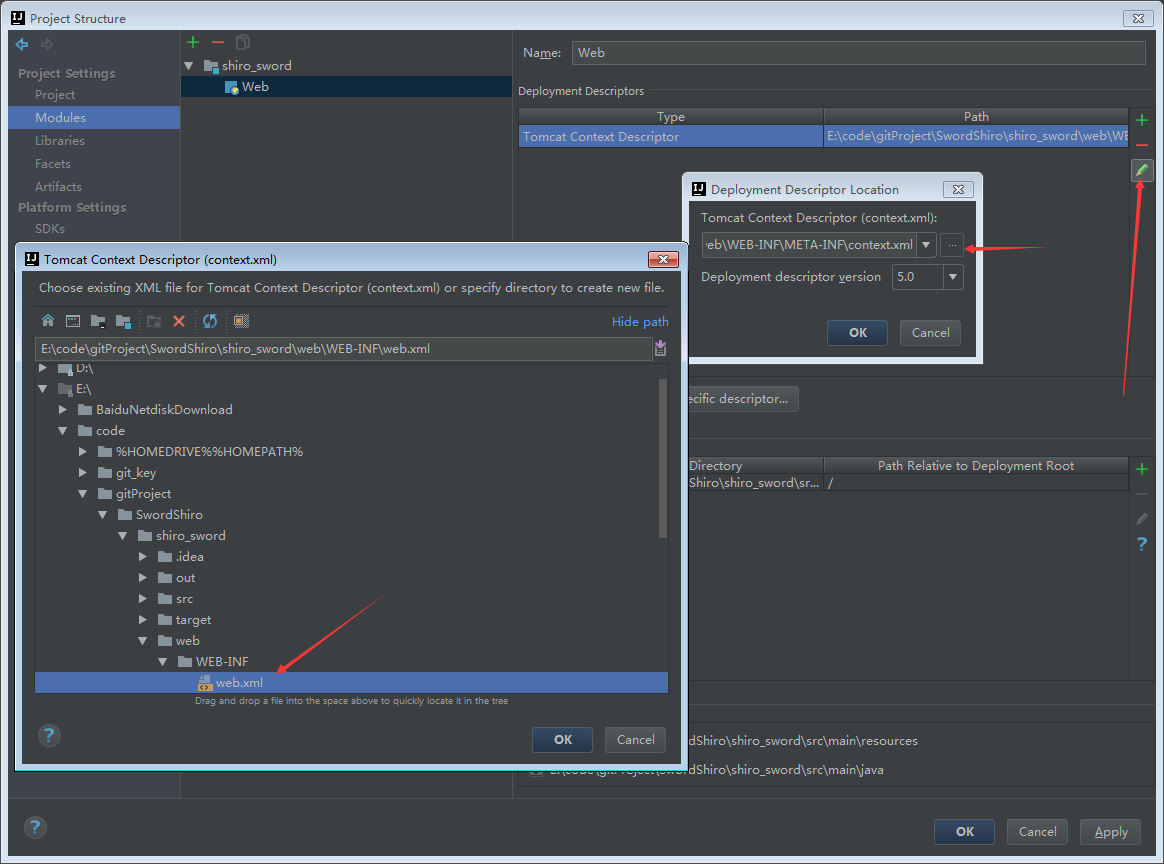
click ‘OK’ and then start up your tomcat